Local SEO software for agencies that run clients' Google profiles
Every client location, from every Google account, in one workspace: rank grids, AI review replies, scheduled posts and monthly PDF reports, with your whole team on it.
Unlimited connected Google accounts and team members on every plan
Less switching between tools, more time on the work
Running local SEO for clients is the same handful of jobs every week. Done across separate tools and logins, most of an agency's time goes on switching between them. NearPinn puts every client location, from every connected Google account, into one workspace.
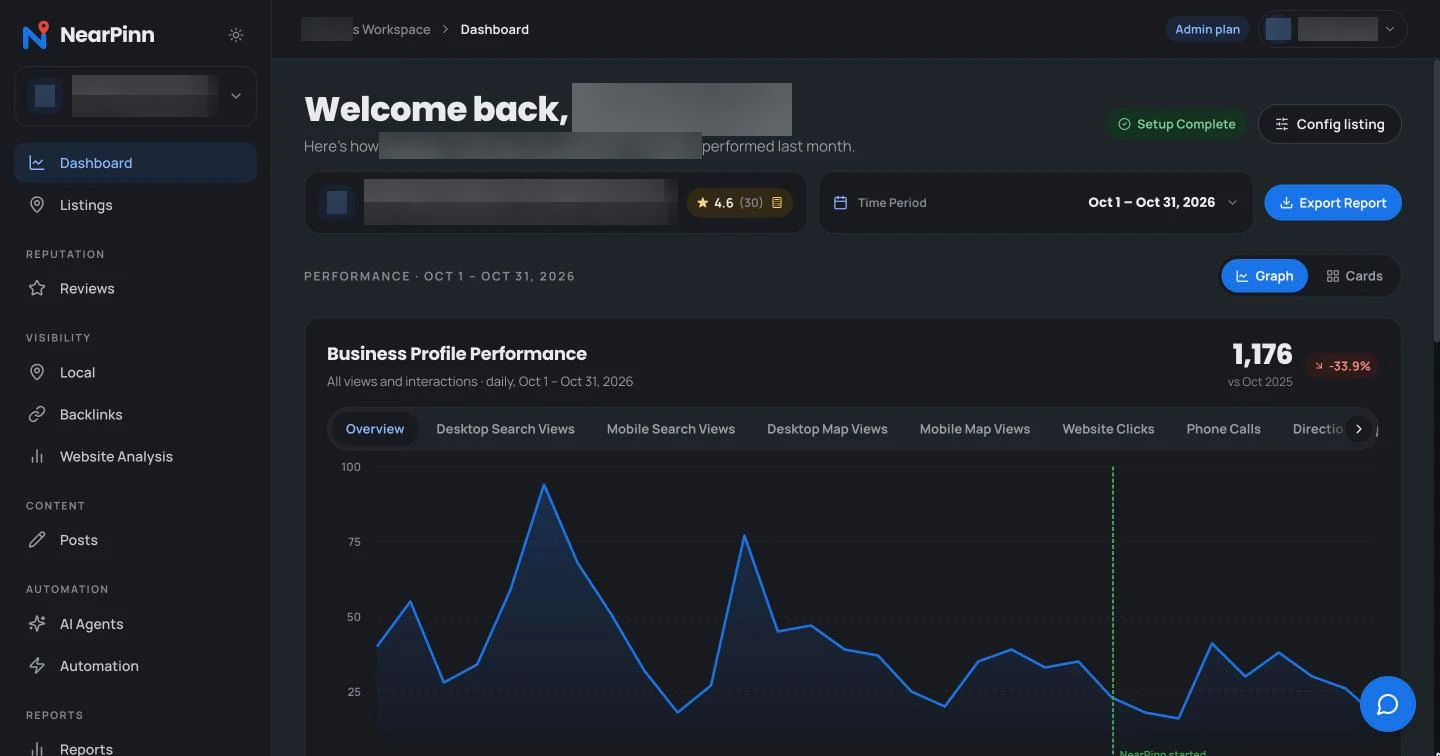
Onboard a client in an afternoon, report on them every month
Each step uses a NearPinn feature you can read about in full.
- 1
Connect each client's Google account
Sign in through Google and add their locations. Access tokens are encrypted and can be disconnected at any time.
- 2
Baseline every location
Run a geogrid rank scan on the keywords that matter, plus weekly keyword tracking.
- 3
Hand the routine to AI agents
Review replies by star rating and scheduled posts, each client in its own voice.
- 4
Report monthly
PDF reports compare the month with last year and show what changed.
Account managers
Own the client and the monthly report
Writers
Plan and approve Google posts
Review responders
Handle the replies AI should not
SEO leads
Watch grids and keyword moves
Your whole team, working from the same list
Invite your team to the workspace so account managers, writers and whoever answers reviews work from the same list of locations.
For who should hold which role on the Google side, and how to hand a profile back cleanly when a client leaves, read Google Business Profile manager roles, access and handover.
From your first clients to your whole book
Pro
Up to 7 locations- 20 credits a month
- 75 AI review replies
- 3 custom AI agents and 5 automations
Expert
Up to 15 locations- 30 credits a month
- 150 AI review replies
- 7 custom AI agents and 10 automations
- Monthly PDF reports
Every plan starts with a 14-day free trial. See the full comparison on the pricing page.
Learn the workflow, tool by tool
Frequently asked questions
Can I manage clients' profiles from different Google accounts?
Yes. Connect as many Google accounts as you need to one workspace and every location they manage appears in one list. Connected Google accounts and team members are not limited by plan.
How many client locations does each plan cover?
Starter covers up to 3 locations, Pro up to 7 and Expert up to 15. Above 15, Enterprise plans set limits and pricing per workspace.
Can each client have its own reply voice?
Yes. Pro includes 3 custom AI agents and Expert 7, so clients with different tones or policies can each have their own responder and publisher.
Do reports carry my agency's branding?
No. Reports carry the client business's own logo and no agency branding is added. They are part of the Expert plan and can be emailed monthly.
Keep reading
Bring your clients into one workspace
Connect your first client and run a rank grid today. Free for 14 days.