Local SEO reports your clients can actually read
Turn a month of Google Business Profile data into a PDF report with rankings, map visibility, reviews, posts and performance, compared with last year and emailed every month.
Included on the Expert plan · 14-day free trial
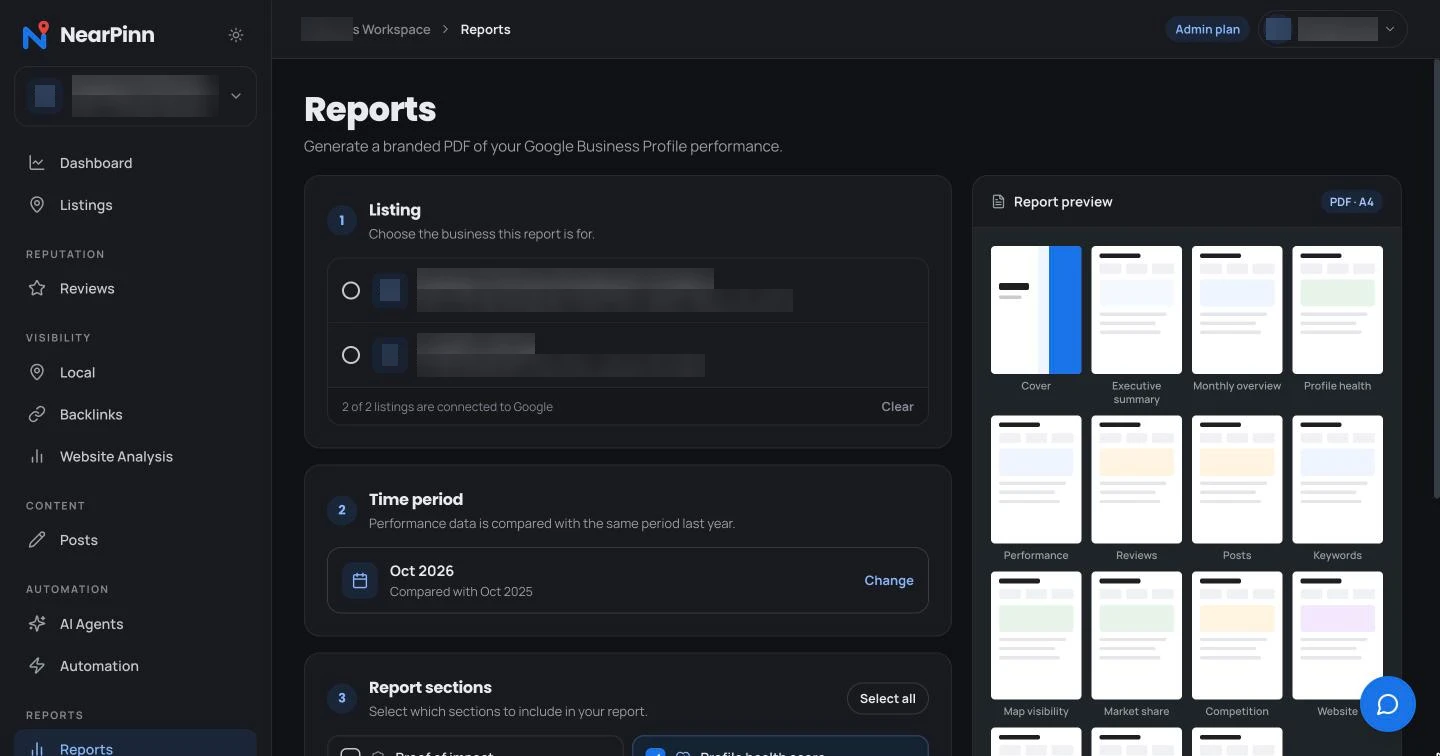
Not a table of positions: an answer
Clients and managers don't want a table of positions; they want to know whether more people found the business and what was done about it. NearPinn turns a month of Google Business Profile data into a PDF that answers both, with the business's own logo on it.
Every number is compared with the same period last year, so seasonal swings don't read as wins or losses.
Choose the listing and the month
The report compares it with the same month a year earlier.
Choose the sections
Executive summary, monthly overview, profile health, performance, reviews, posts, keywords, map visibility, market share, competition, website and more. A preview shows every page before you export.
Export, or send it every month
Export the PDF, or turn on monthly reports per listing and have them arrive by email.
Pick the pages each client needs
Executive summary and monthly overview
The month in a few lines, for the reader who only reads the first page.
Profile health and performance
What is missing from the profile, and how searches, map views, calls, website clicks and direction requests moved.
Reviews and posts
New reviews and ratings, replies, and what was published.
Keywords, map visibility and market share
Where the business ranks on the grid and how much of the map it holds against competitors.
Competition and website
Who ranks nearby, and how the linked website is doing.
Your client's brand on the cover
The report uses the business's own logo from its listing. No agency branding is added.
Showing what the work changed, honestly
A proof-of-impact section compares the 28 days before NearPinn started with the latest 28 days, names holidays that fall inside either window, and lists changes the owner made themselves so the report never takes credit for them. It is the honest version of a before-and-after.
For what else belongs in a monthly report, see what a local ranking report should show each month.
- Holidays inside either window are named
- Changes the owner made are listed separately
- NearPinn never takes credit for them
For whoever has to explain the month
Agencies
Sending a monthly report to every client. Read how to produce reports for many clients each month.
NearPinn for agencies →Owners
Who want one page that says whether local search is working.
Reports come with Expert
Expert
- PDF reports and monthly report emails
- 30 credits a month
- 20 tracked keywords
Every plan starts with a 14-day free trial; compare plans on the pricing page.
Frequently asked questions
What does a Google Business Profile report include?
You choose the sections. They include an executive summary, a monthly overview, profile health, performance (searches, calls, directions and website clicks), reviews, posts, keywords, map visibility, market share, competition and the website.
Can reports be sent automatically every month?
Yes. Monthly reports can be turned on per listing; the PDF is emailed each month to the address you set, and you can change the email or turn it off from Reports.
Whose logo is on the report?
The report uses the business's own logo from its listing, so the client sees their brand on the cover.
Which plan includes reports?
PDF reports, including the monthly reports, are part of the Expert plan.
Keep reading
All agency articles →Send a report you are proud of
Connect a profile and build your first report from real data. Free for 14 days.